
Built with Swift, SpriteKit, and an AI-assisted workflow (Claude + Codex)
This week I released a new game on the App Store: Alien Barrage. It took about three months to build.
While AI handled most of the coding, the project still required a significant amount of work—planning, designing, testing, managing the AI workflow, and gathering feedback. I started with inspiration from classic arcade shooters, combining elements I liked from different games, adding my own ideas, and letting the gameplay evolve naturally. These are the kinds of games I grew up playing in arcades, so this project was a bit of a throwback.
Platform
I considered using Unity but ultimately chose Apple’s Sprite Kit. I have a bias toward Swift, iOS, and the Xcode environment, and I also wanted to get some experience integrating in-app purchases, as well as Game Center features like leader-boards and achievements. The game is also translated into 14 languages.
Development with AI
My development process relied on a custom workflow using both Claude and Codex. I would switch between them as needed—usually when one hit context limits, or started to drift and could not “get something right”. This approach turned out to have a couple of advantages: it kept costs reasonable, helped reduce the need for long sessions using the same context, and forced more structured planning.
I used AI to generate phase-based planning documents, sort of like an outline. Each phase became a focused unit of work: the AI would implement it, stop, and tell me what to test. Once verified, I would mark the phase complete and merge its corresponding Git branch.
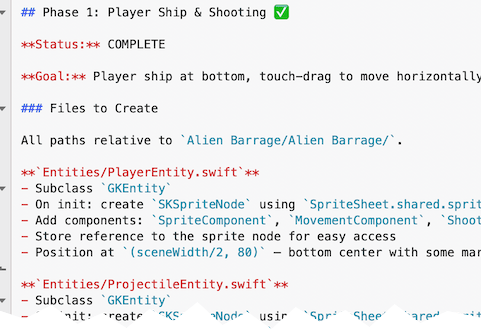
This resulted in a clean development history with meaningful commit messages and a structured progression of features.
AI wasn’t just used for coding. It also played a role in asset generation, image and video processing, and sound integration. I used command-line tools like ImageMagick and ffmpeg (driven by AI) for asset workflows, along with ChatGPT for generating imagery.
AI Workflow (What Actually Worked)
- Phase-Based Planning Broke development into clear phases using AI-generated outline documents. Each phase had a defined goal, scope, and completion criteria.
- Model Switching (Claude ↔ Codex) Alternated between models when hitting context limits. This kept costs down and reduced “AI drift” by forcing re-grounding between phases.
- One Phase = One Git Branch Each phase was developed in its own branch. After testing and validation, it was merged—keeping changes isolated and history clean.
- AI-Driven Task Execution with Human Checkpoints AI would implement a phase, then stop and provide testing instructions. I validated before marking it complete.
- Structured Commit History AI generated detailed commit messages, resulting in a readable and useful development timeline.
- Tight Feedback Loop Frequent testing cycles after each phase prevented large-scale issues from accumulating.
- Prompt Discipline Clear, scoped prompts reduced wandering behavior and kept outputs aligned with the intended feature.
- AI Beyond Coding AI was also used for asset workflows (ImageMagick, ffmpeg controlled by AI), image generation (ChatGPT), video generation (Grok), and documentation generation (jazzy docs controlled by AI).
- Role Separation Treated the setup as pair programming: I handled design, planning, project direction, and managing the AI workflow, while AI handled execution.
Me vs. Me + AI
Realistically, I wouldn’t have had the time to build this game on my own.
AI has made it possible to take on larger and more complex projects without getting bogged down in low-level implementation details. If you think of it as pair programming—“Arnold and the AI”—my role was design, planning, project direction, and managing the AI workflow, while AI handled execution.
That combination is effective.
There’s a lot of concern about what AI means for the future of programming, but my experience has been the opposite. Pairing real-world development experience with AI tools feels like a strong advantage.
Cross-Platform vs. Native Development
I originally leaned heavily into cross-platform development—starting with Xamarin around 2015, with years of Adobe AIR before that, then moving through React Native and .NET MAUI. The main advantage was always efficiency: one codebase, one skill set, two or more platforms.
But in the age of AI-assisted development, that tradeoff looks different.
Recently, I’ve been building native apps in Swift and Kotlin—even in areas where I wasn’t deeply experienced—and still producing complex, production-quality results with AI. Given that, native development has become far more appealing.
My AI Coding Journey
I started experimenting with AI coding tools in 2025, using Codex and later Claude.
Since then, I’ve:
- Rebuilt my Xamarin-based iOS app TimesX in Swift
- Added Apple Intelligence-powered content generation into TimesX for iOS devices that support it
- Replaced the original Xamarin app on the App Store with the Swift Native
- Built a supporting website
- Created a native Android version (optimized for Chromebooks)
- Developed a Swift/SpriteKit game Alien Barrage
- Made a Website for Alien Barrage
- Worked on several smaller projects, including Apple TV apps
In just a few months, I’ve been able to create a significant amount of code that would have taken much longer otherwise.
I’ll admit it—I’m hooked on vibe coding 😊