
I have been experimenting with local AI for a practical reason: I wanted to make my personal photo and video archive searchable without paying cloud AI prices indefinitely. Cloud AI is faster and easier, but costs money each time and sends files to outside servers. Local AI runs on your own computer, so it is slower but more private and cheaper for repeated processing.
My collection is large enough to make this interesting: roughly 30,000 photos and videos gathered over many years. I originally stored them on Flickr, but the cost and export limitations became frustrating. One issue that stood out was Flickr’s migration tooling, including limits such as being unable to export albums with more than 500 photos at a time.
AI coding tools changed the equation for me. With Claude and Codex, I was able to migrate the media to AWS S3 and create apps to browse the collection on the web and on Apple TV.
The Problem
Moving the files was only part of the project. The bigger goal was search.
I did not want to search only by filename, date, or folder. I wanted to search by what was actually in the media:
- “beach sunset”
- “birthday party”
- “dog in the backyard”
- “old vacation video”
- “kids opening presents”
- “mountains with snow”
That requires descriptions, tags, and metadata for each item. For photos, this is fairly straightforward. For videos, it is more complicated because the AI needs representative frames or some kind of visual summary.
The Pricier Fix
A few months ago, I started a project to generate tags and short descriptions for the entire collection and store the results in MySQL.
My first version used cloud AI. I wrote Python scripts that sent images to the OpenAI API, received tags and descriptions, and saved the results back into the database.
Using an older model, GPT-5.2, I was able to generate about 30,000 sets of tags and short descriptions for the images. That worked, but it cost around $80 in API calls, and that was only for photos, not videos.
That cost was not outrageous for a one-time project, but it made me think differently. If I wanted to reprocess the archive, get more detailed descriptions, include videos, or run future batches, the cost would keep adding up.
Enter Local AI
While working on this, I started experimenting with local AI. On my machine, I don’t expect it to replace ChatGPT, Claude, or Codex, but I’m hoping to match that older GPT-5.2 model I paid for.
My local setup is simple:
Main AI machine
- Apple M2 Max MacBook Pro, 2023
- 32 GB RAM
- 1 TB SSD
- macOS
Long-running worker machine
- Apple MacBook Pro, 2016 Intel i7
- 16 GB RAM
- 500 GB SSD
- Ubuntu
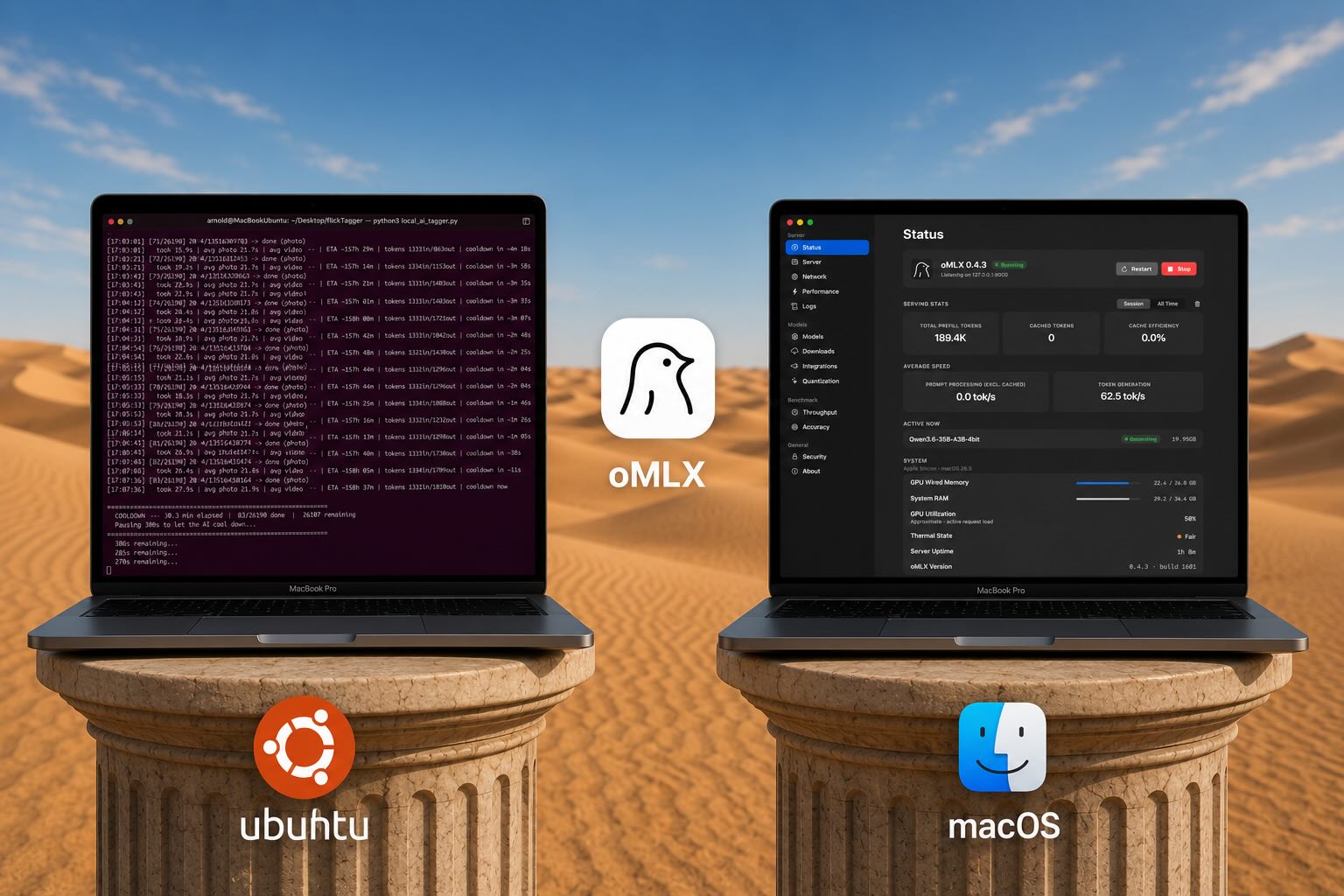
The newer Mac runs the AI in macOS. The older Mac runs the long Python jobs in Ubuntu, so my main computer is not tied up all day and I can still use it for light processing tasks. The Ubuntu machine sends requests over the local network to the AI server running on macOS.
At first, I tried the usual local AI tools for Mac:
- Ollama
- LM Studio
- AnythingLLM
I downloaded large Apple Silicon-optimized models, often in the 8 GB to 30 GB range, and tested them with chat, coding, and image-description experiments. On my hardware, the experience was not great. The models were slow, and the results were not impressive enough to justify the hassle.
Then I found this video and it changed everything!
That led me to try oMLX. It intelligently manages memory, which is the biggest bottleneck of running local AI.
Why oMLX Worked Better for Me
Some of the same models I had already tried felt much faster and more usable when loaded through oMLX compared with Ollama, LM Studio, and AnythingLLM.
What seems to make the difference is not just raw model speed, but how the stack uses Apple Silicon. MLX is built around the Mac’s unified memory architecture, and oMLX appears to make better use of that while also treating older context more like cacheable state than something that must stay fully resident in RAM at all times. For my workload, that matters more than benchmark bragging rights. I am sending resized images and a handful of video frames in long unattended batches, so a systemthat manages memory well and stays responsive under pressure is more useful than one that only feels fast in short interactive chats.
I am not running the latest Mac with 128 GB of memory – I am using a 32 GB M2 Max MacBook Pro from 2023, so memory pressure matters.
The tipping-point model for me was this model, on my machine, in oMLX:
Qwen3.6-35B-A3B-4bit
This model had barely been functional on my machine using Ollama/LM Studio/AnythingLLM. With oMLX, it became very usable – enough for long-running image and video description jobs.
It’s nowhere near today’s cloud models, but still useful enough for some tasks that don’t require higher thinking. It reminds me of where cloud models were roughly a year ago- around the time OpenAI was transitioning from GPT4 to GPT5.
The Cheaper Fix
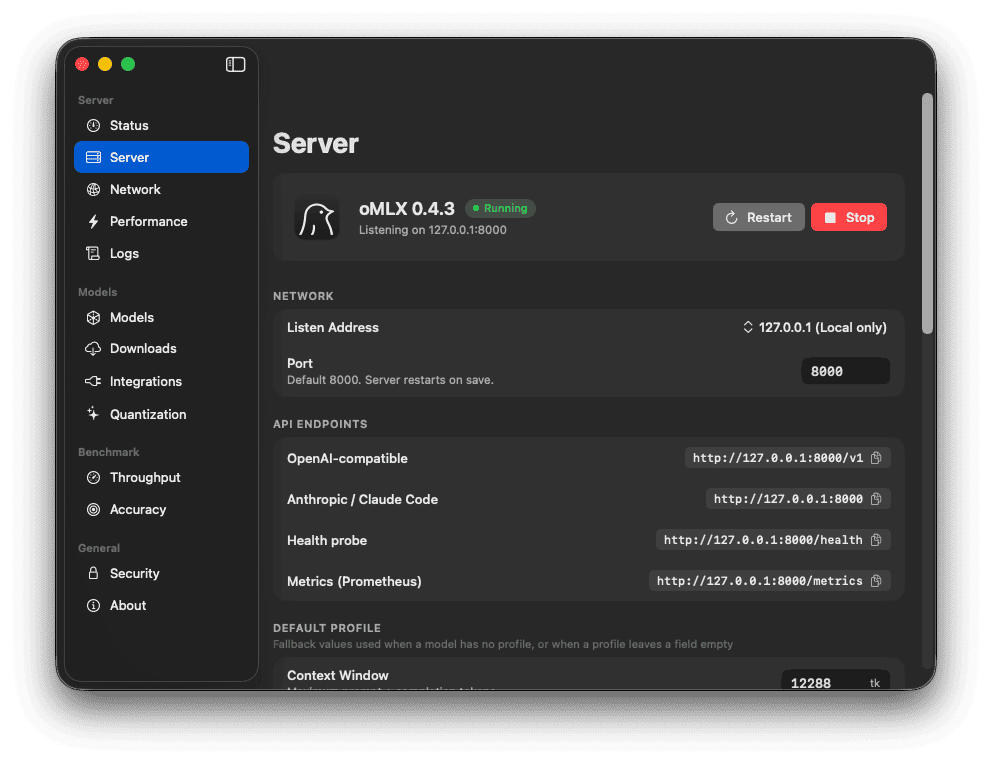
The oMLX app makes it easy to startup the server, download models, and tweak the performance. Once I had the local AI server running, I started building Python scripts to query it.
The goal was to generate richer, larger descriptions for both images and videos, then save those descriptions into a new database. For videos, the script uses FFmpeg to extract sample frames and sends those frames to the local model as visual context. A simpler operation will follow to migrate that data where I host the image information.
The workflow looks like this:
- The Ubuntu machine runs a Python script.
- The script reads media records from MySQL.
- For images, it resizes the image to a practical size before sending it to the AI model.
- For videos, it extracts five frames with FFmpeg.
- It also extracts and stores exif data using ExifTool.
- The script sends the image or video frames to the oMLX server running on the Mac.
- The local model returns a content description and tags.
- The script stores the result in MySQL.
- If the script stops, it can resume later without starting over.
Here is the basic idea of the video prompt:

Local AI Test
Before I started building this out, I used OpenCode to test the local AI model’s ability with the prompt above. I captured the session in the clip below, which also reveals the video content that was analyzed.
Result
The frames show a young boy wearing a white suit dancing at an outdoor nighttime birthday party. A decorated banner reading “Happy 50th Birthday Minnie” with colorful illustrations is hung on a block wall behind him. Colored party lights—red and green—cast spots on the wall as the boy moves across the concrete patio, appearing to dance. Several other people, including adults and possibly other children, stand to the right watching, with one person in a plaid shirt partially visible. Large leafy plants or bushes are visible to the right of the wall.
The Plan
The full plan is to let the Ubuntu machine run for days if necessary while the M2 Max handles the local AI requests.
The script will:
- Traverse the database of roughly 30,000 images and videos.
- Resume safely if the process is stopped or interrupted.
- Use ExifTools to collect camera and location metadata where available.
- Use FFmpeg to extract five representative frames from each video.
- Query the local oMLX AI server for image and video content descriptions.
- Store the generated descriptions and metadata in a new MySQL table.
The important part is that I am no longer paying per image or per video, and can run more computationally expensive queries such as full 1-2 paragraph image descriptions. Once the local AI setup is working, the cost is mostly electricity, heat, and time.
Challenges
This was not plug-and-play. I had to do a fair amount of tuning.
One issue was image size. Some of the images being sent to the local AI model were too large, which created context window and memory problems. That may also explain why the earlier cloud API run became more expensive than expected.
I asked Codex to recommend a practical image size for tagging and description generation. The script now resizes images before sending them to the AI server. The resized images are still good enough for recognition, but they are much easier on the model.
I also used ChatGPT to analyze my oMLX server logs and help tune performance settings, including:
- Context window
- Maximum tokens
- Concurrent requests
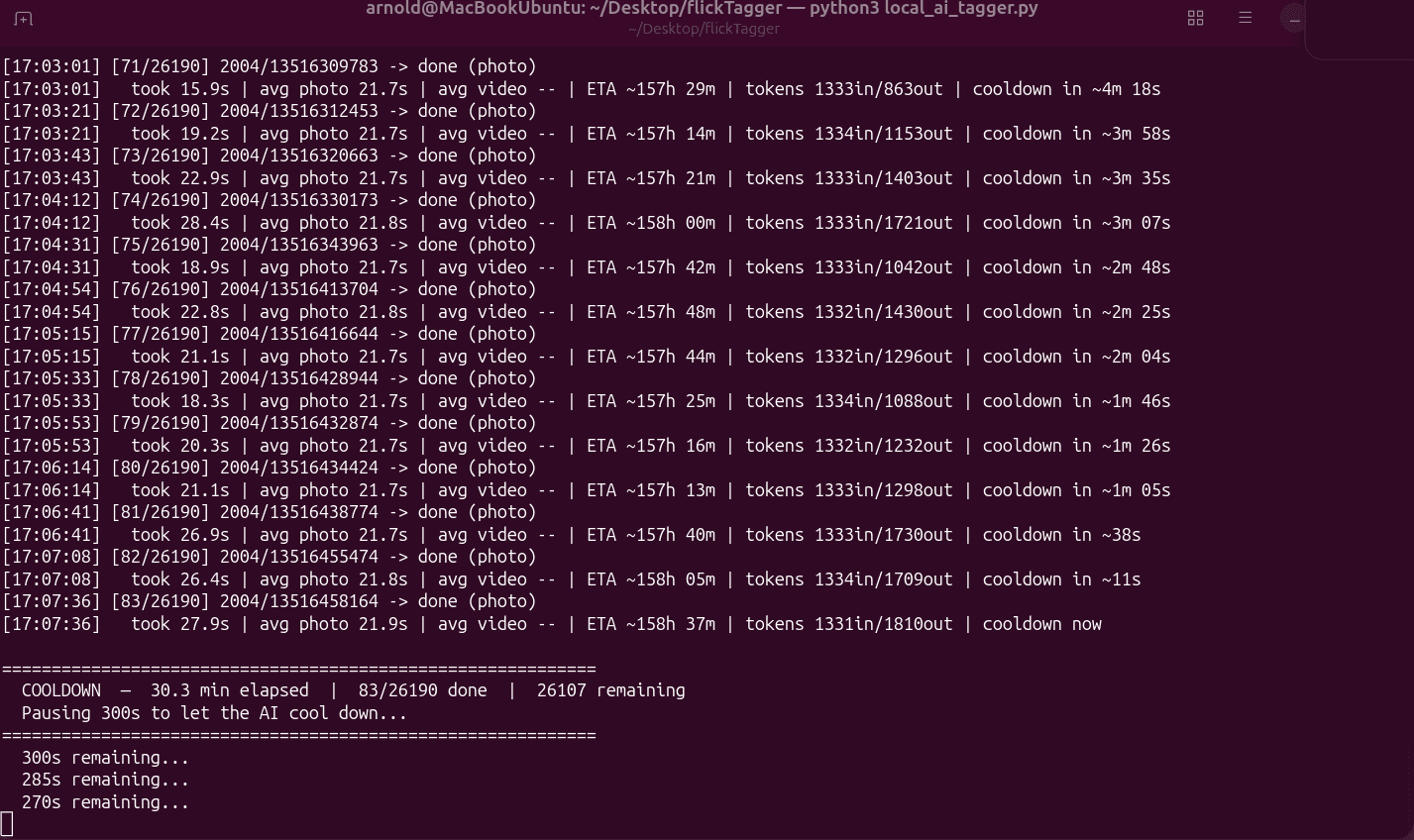
Heat was another issue. During long runs, the MacBook Pro can get hot from sustained CPU, GPU, and memory usage. To reduce stress on the machine, I added a five-minute cooldown after every 500 requests.
This makes the 6-day job take 4 hours longer, but that is acceptable. The whole point of this setup is that it can run unattended.
Current Results
It is working.
The current run is slow, but steady. With around 30,000 media items and an average of roughly 22 seconds per item, the full job should take 6 days or more with breaks.
That sounds terrible compared with cloud processing, but it changes the economics. I can stop, tweak prompts, retry batches, and improve the database without watching a meter run.
For my use case, local AI does not have to be instant. It just has to be good enough, reliable enough, and cheap enough to keep running.
What I Learned
Local AI (for my hardware) is more powerful than I expected, but is much slower than cloud-models and takes more setup. Even so, local AI has its own advantages:
- No per-request cost
- Ability to reprocess data without paying again
- Useful performance on consumer Apple Silicon hardware
- A good fit for long-running batch jobs
For a project like tagging and describing a lifetime of personal photos and videos, that tradeoff makes sense.
Another surprising part is that older hardware still has a role. My 2016 Intel MacBook Pro is not running the AI model, but it is perfect as a worker machine that can run Python scripts all day. The M2 Max does the AI work, and the Ubuntu laptop keeps the pipeline moving.
That combination turned out to be exactly what I needed: one machine for local AI, one machine for automation, and no cloud bill for every experiment.